
Affiliates Area
Your hoplink Not set yet Contact Jeffrey

Landing Pages

The pages a Jamorama hoplink can open, who each one suits, and two ready-made presell pages you can put on your own site in front of them.

You have not created a promotion hoplink, click here to create one.

Generate Hoplink
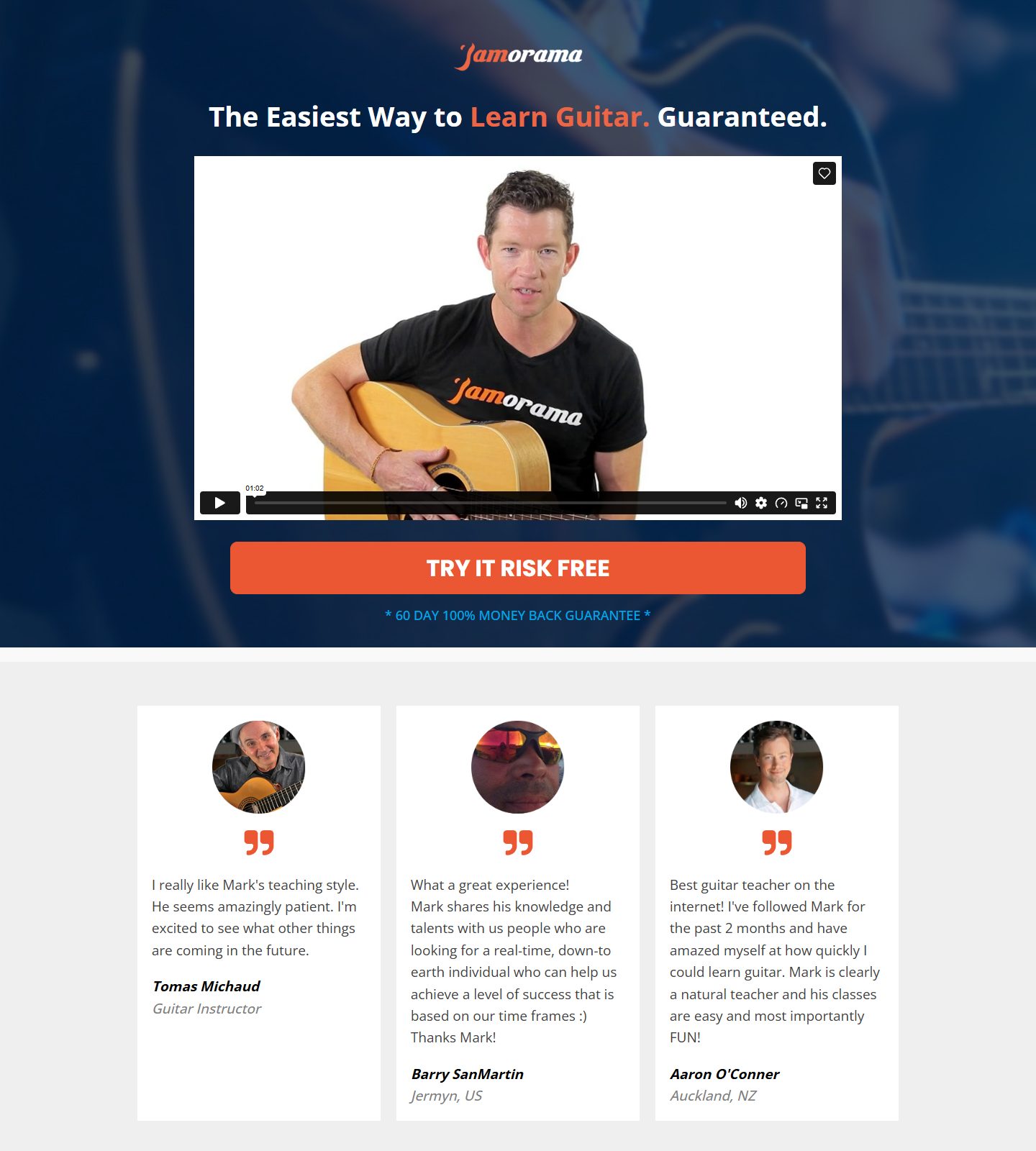
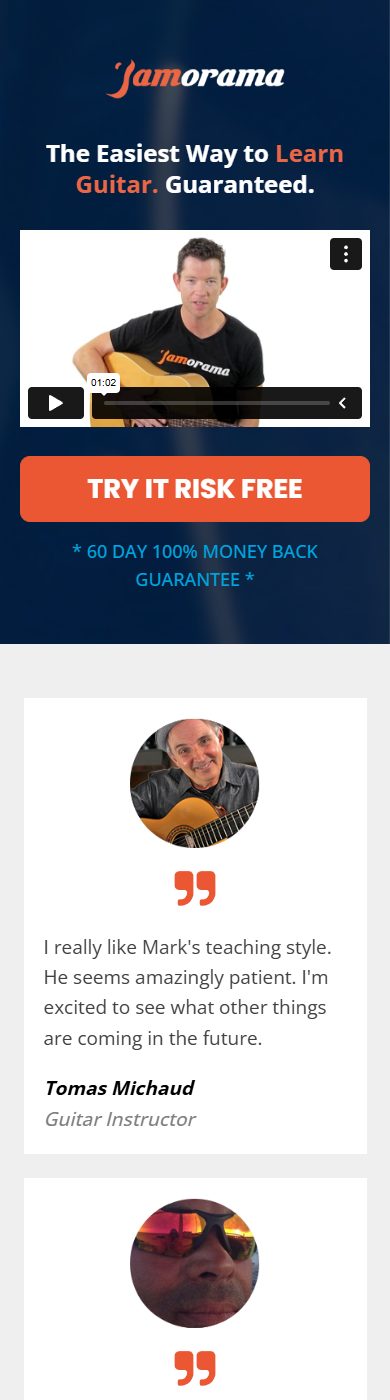
Video sales page (recommended) on a computer Video sales page (recommended) on a phone

1type=main

Video sales page (recommended)

Opens https://jamorama.com/

Mark McKenzie's video sales page, with his letter, the 18 skills the system covers, the ten courses with their video counts and run times, customer quotes, the 60-day money-back guarantee and the order button.

Best for: Most promotions: email lists, blog readers, YouTube viewers and anyone who is ready to see the full course.
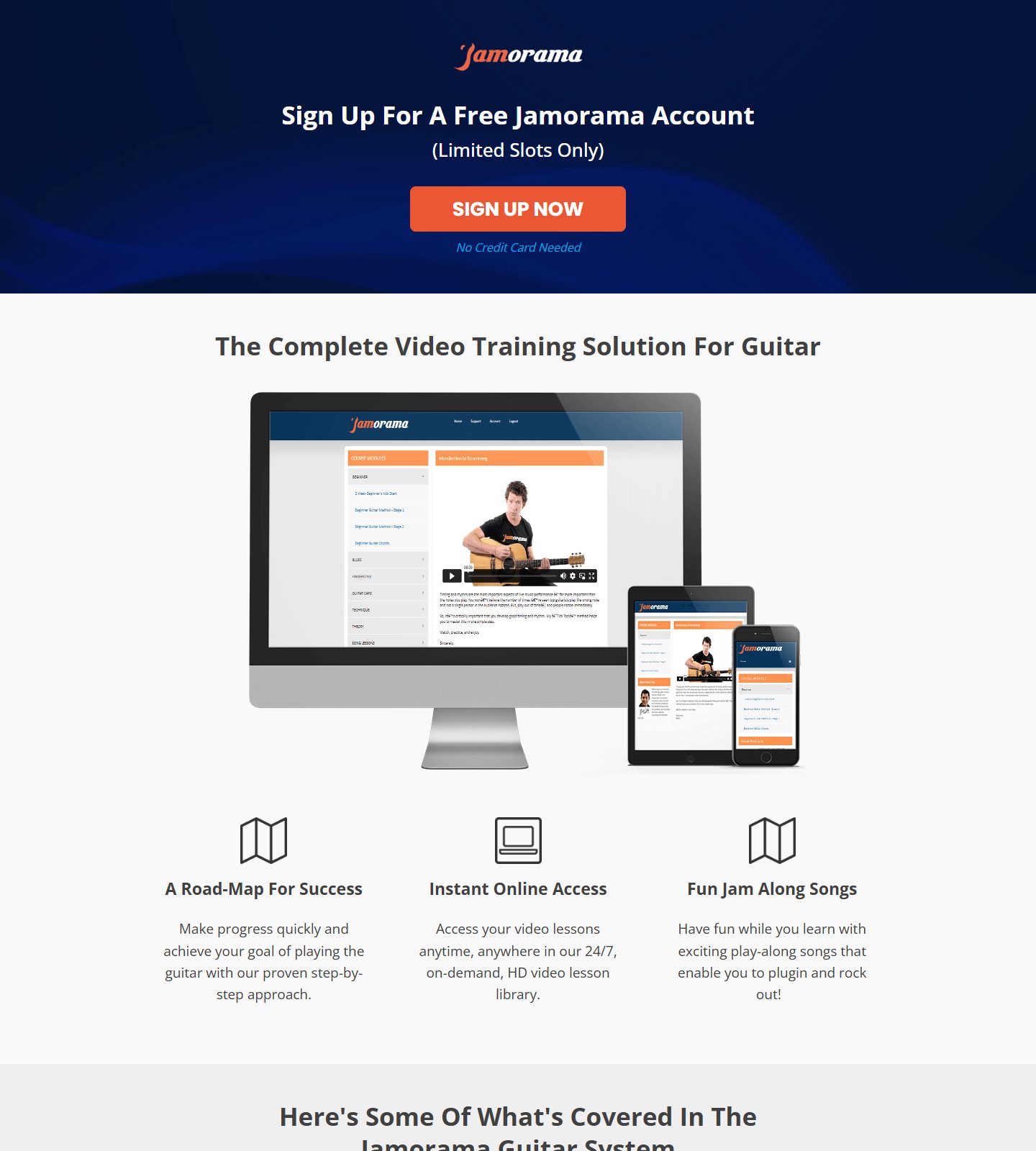
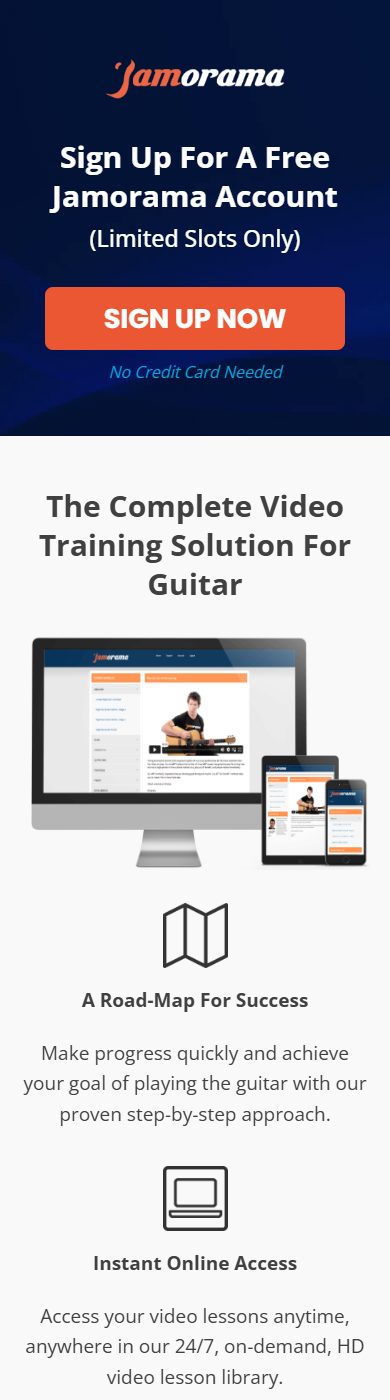
Free account sign-up on a computer Free account sign-up on a phone

2type=free

Free account sign-up

Opens https://jamorama.com/free

A sign-up page for a free Jamorama account (no credit card needed), with what the system covers and customer quotes.

Best for: Colder audiences and social media followers who would rather start with something free, and anyone you reach with a "no credit card needed" message.

The link format

The last part of your hoplink picks the page: type=main for the video sales page, type=free for the free account sign-up. Links that skip the sales page and go straight to the order form aren't allowed, so there is no order-form option.

https://hop.clickbank.net/?affiliate=ID&vendor=jamoram&tid=TID&type=…

The hoplink generator builds the link for you and checks your ClickBank ID as you type.

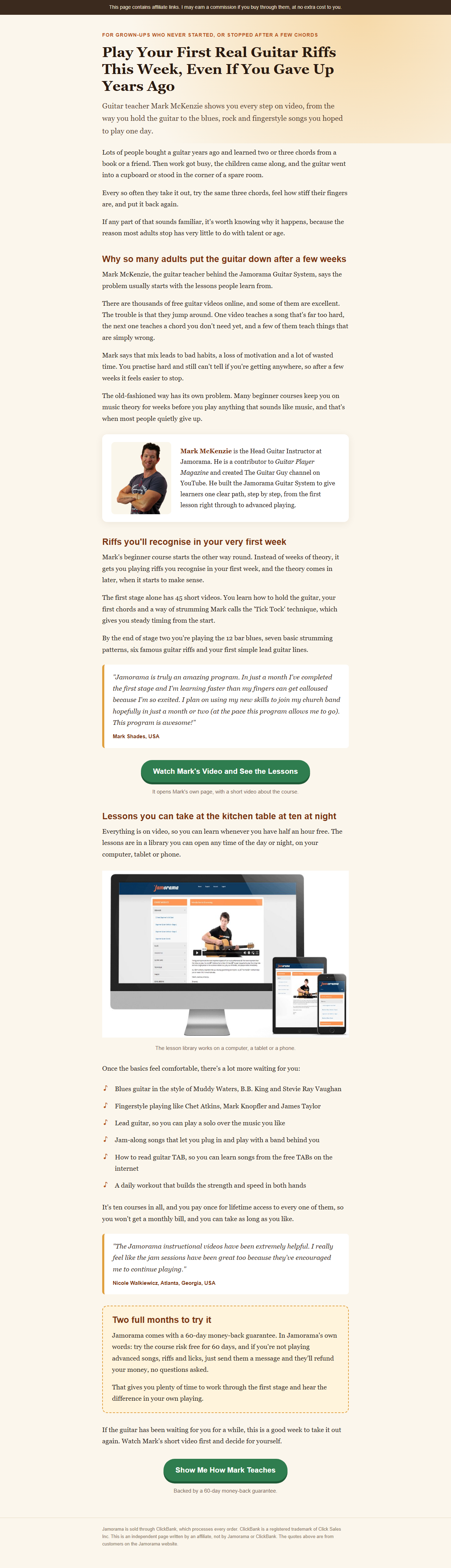
Presell A: a story page for people who gave up on the guitarNew

The presell page on a computer The presell page on a phone

Headline: Play Your First Real Guitar Riffs This Week, Even If You Gave Up Years Ago

A warm, letter-style page for adults who bought a guitar years ago and stopped after a few chords. It explains why so many grown-ups give up, introduces Mark McKenzie and his first-week riffs, quotes two real customers and the 60-day guarantee, then sends readers to Mark’s video sales page (type=main). Send your paid ads to this page on your own site, never straight to your hoplink.

HTML version (.zip) index.html and its two pictures, for any website. WordPress version (.zip) A WordPress export file holding one draft page.

See the whole page: computer phone

HTML version

  1. Open index.html in any text editor (Notepad, TextEdit or VS Code).
  2. Use Find and Replace to replace every AFFILIATE-LINK with your ClickBank hoplink. There are 2 buttons, and both should change. Save the file.
  3. Upload index.html and the images folder together to a folder on your own website, for example yoursite.com/guitar-riffs-this-week/. Keep the images folder next to index.html.
  4. Open the page on your phone and your computer and click each button once to check it opens the Jamorama page.

WordPress version

  1. In WordPress go to Tools > Import > WordPress (install the importer if asked), choose jamorama-presell-a-wordpress.xml and press "Upload file and import".
  2. Open the page in the block editor, switch to the Code editor (top-right menu) and replace every AFFILIATE-LINK with your ClickBank hoplink. The buttons are "Watch Mark's Video and See the Lessons" and "Show Me How Mark Teaches".
  3. Preview the page on your phone, click each button once, then publish.
  • Keep the affiliate disclosure at the top and the ClickBank note at the bottom.
  • Keep the customer quotes word for word, and never add results, testimonials, prices or student numbers of your own.
  • Send paid ads to this page on your own site, never straight to your hoplink or to a jamorama.com address, and never bid on "Jamorama" or use the brand name in search ads.
  • Ask Jeffrey Sandoval (jeffreys@unica.co.nz) to review your site before you run any Google or Bing ads.

Want it in your own words? The README in each zip has a ready prompt for ChatGPT, Claude or a similar assistant that keeps the layout, the links, the disclosure and the customer quotes, and adds nothing that isn't true.

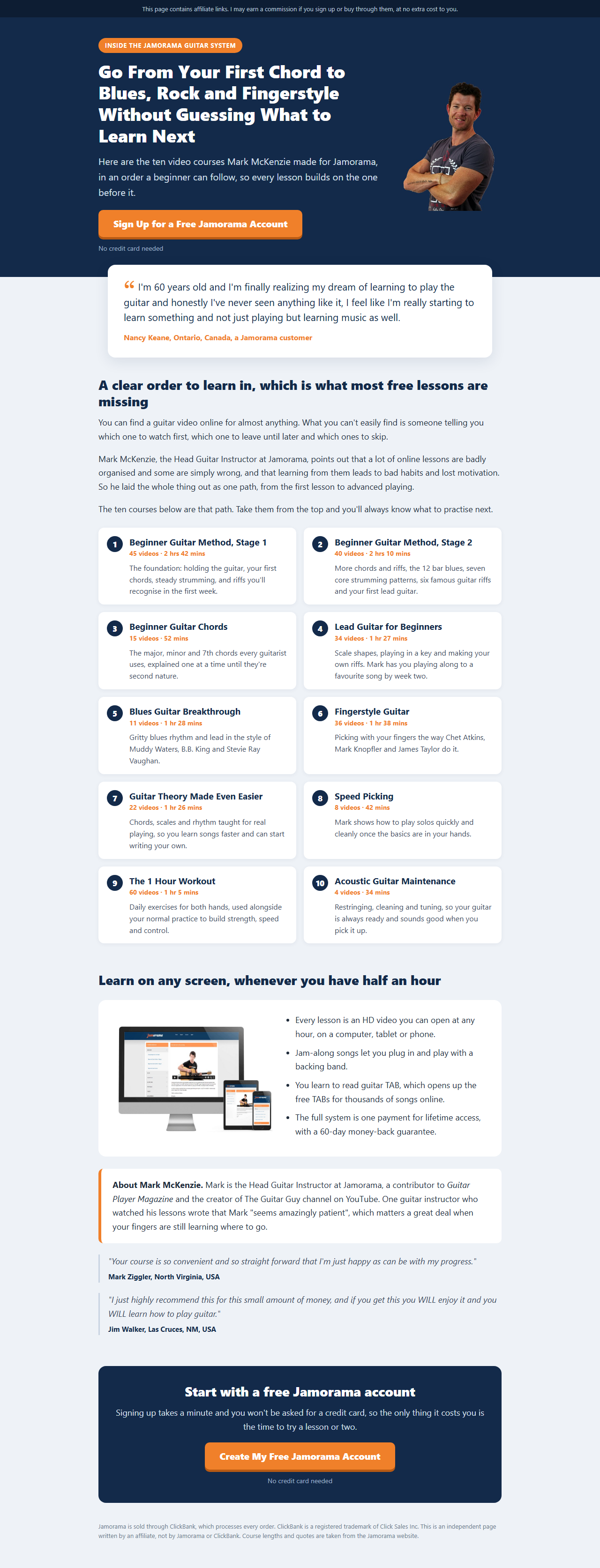
Presell B: the ten courses in the order to take themNew

The presell page on a computer The presell page on a phone

Headline: Go From Your First Chord to Blues, Rock and Fingerstyle Without Guessing What to Learn Next

A modern guide page that walks through all ten Jamorama courses with their video counts and run times, in an order a beginner can follow. It opens with Nancy Keane’s words about learning at 60 and sends readers to the free account sign-up (type=free, no credit card needed). It works well for social media traffic and colder audiences.

HTML version (.zip) index.html and its two pictures, for any website. WordPress version (.zip) A WordPress export file holding one draft page.

See the whole page: computer phone

HTML version

  1. Open index.html in any text editor (Notepad, TextEdit or VS Code).
  2. Use Find and Replace to replace every AFFILIATE-LINK with your ClickBank hoplink. There are 2 buttons, and both should change. Save the file.
  3. Upload index.html and the images folder together to a folder on your own website, for example yoursite.com/guitar-courses-in-order/. Keep the images folder next to index.html.
  4. Open the page on your phone and your computer and click each button once to check it opens the Jamorama page.

WordPress version

  1. In WordPress go to Tools > Import > WordPress (install the importer if asked), choose jamorama-presell-b-wordpress.xml and press "Upload file and import".
  2. Open the page in the block editor, switch to the Code editor (top-right menu) and replace every AFFILIATE-LINK with your ClickBank hoplink. The buttons are "Sign Up for a Free Jamorama Account" and "Create My Free Jamorama Account".
  3. Preview the page on your phone, click each button once, then publish.
  • Keep the affiliate disclosure at the top and the ClickBank note at the bottom.
  • Keep the customer quotes word for word, and never add results, testimonials, prices or student numbers of your own.
  • Send paid ads to this page on your own site, never straight to your hoplink or to a jamorama.com address, and never bid on "Jamorama" or use the brand name in search ads.
  • Ask Jeffrey Sandoval (jeffreys@unica.co.nz) to review your site before you run any Google or Bing ads.

Want it in your own words? The README in each zip has a ready prompt for ChatGPT, Claude or a similar assistant that keeps the layout, the links, the disclosure and the customer quotes, and adds nothing that isn't true.

© 2026 jamorama.com All rights reserved.